Projects
The Admin Dashboard Projects tab — managing the projects under each studio, their file prefix, and archive state.
The Admin Dashboard Projects tab — managing the projects under each studio, their file prefix, and archive state.
The Projects tab on the Admin Dashboard manages the projects that live under each studio. For the day-to-day, user-facing view of projects, assets, and files, see Projects; this page covers the administrative tab.
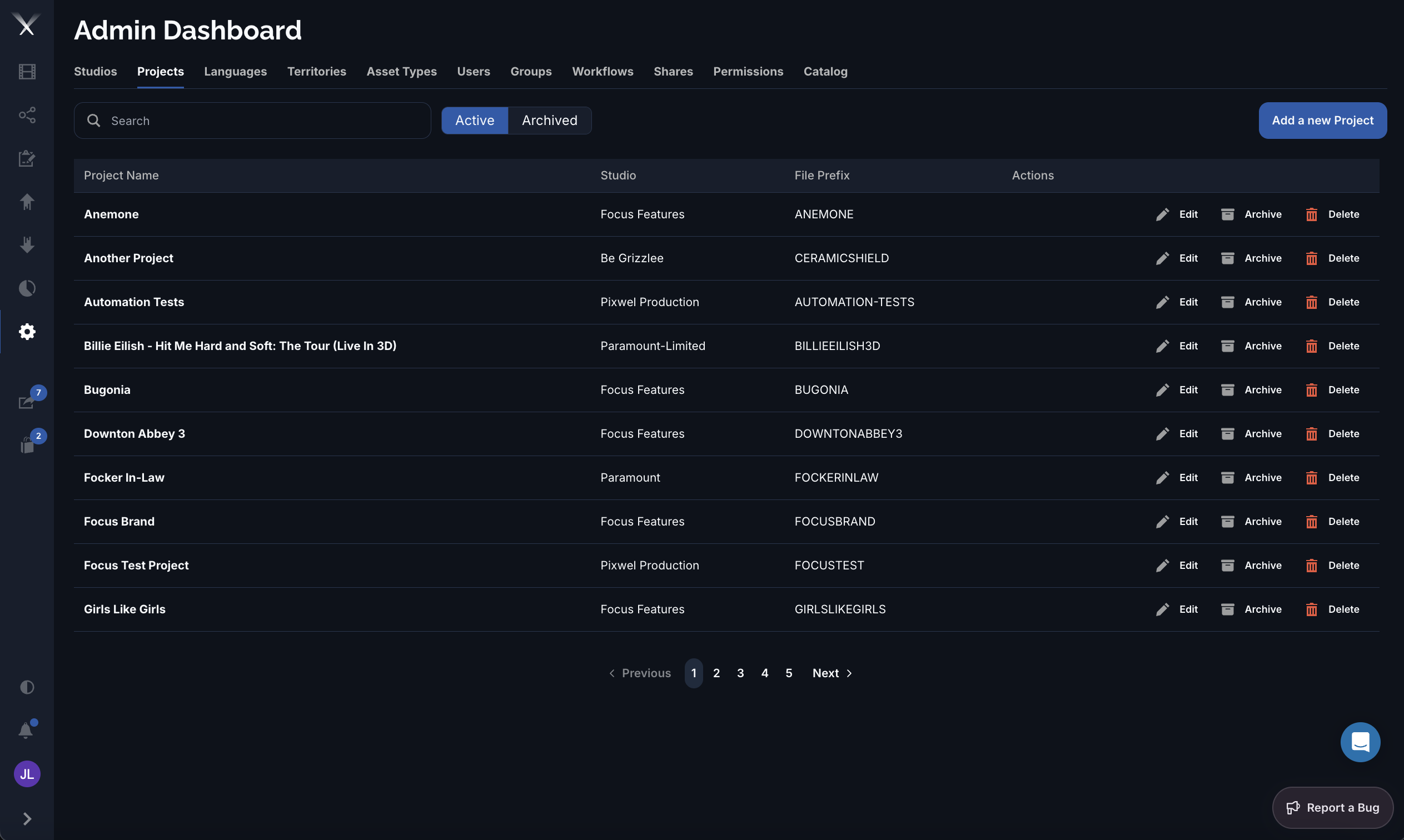
It lists every project with its Studio and File Prefix, and lets you toggle between Active and Archived projects. Each row offers Edit, Archive, and Delete.
| Column | What it is |
|---|---|
| Name | The project name — typically the film or campaign. |
| Studio | The studio that owns the project. |
| File Prefix | The short code (for example ANEMONE, BUGONIA) that begins every file name generated for the project’s deliverables — it ties downloaded files back to their project at a glance. |
Archiving a project hides it from active lists without deleting it, so its assets and history are preserved but out of the way. Archived projects can be browsed under the Archived filter and restored later. Use the Active / Archived toggle to switch which set the list shows.