Studios
The Admin Dashboard Studios tab — the top-level organizations that own projects, assets, and files.
The Admin Dashboard Studios tab — the top-level organizations that own projects, assets, and files.
A studio is the top-level organization that owns projects, assets, and files — typically a film studio. The Studios tab on the Admin Dashboard is where studios are created and configured. Nearly everything else in the platform hangs off a studio: its projects, the groups scoped to it, and the permissions granted within it.
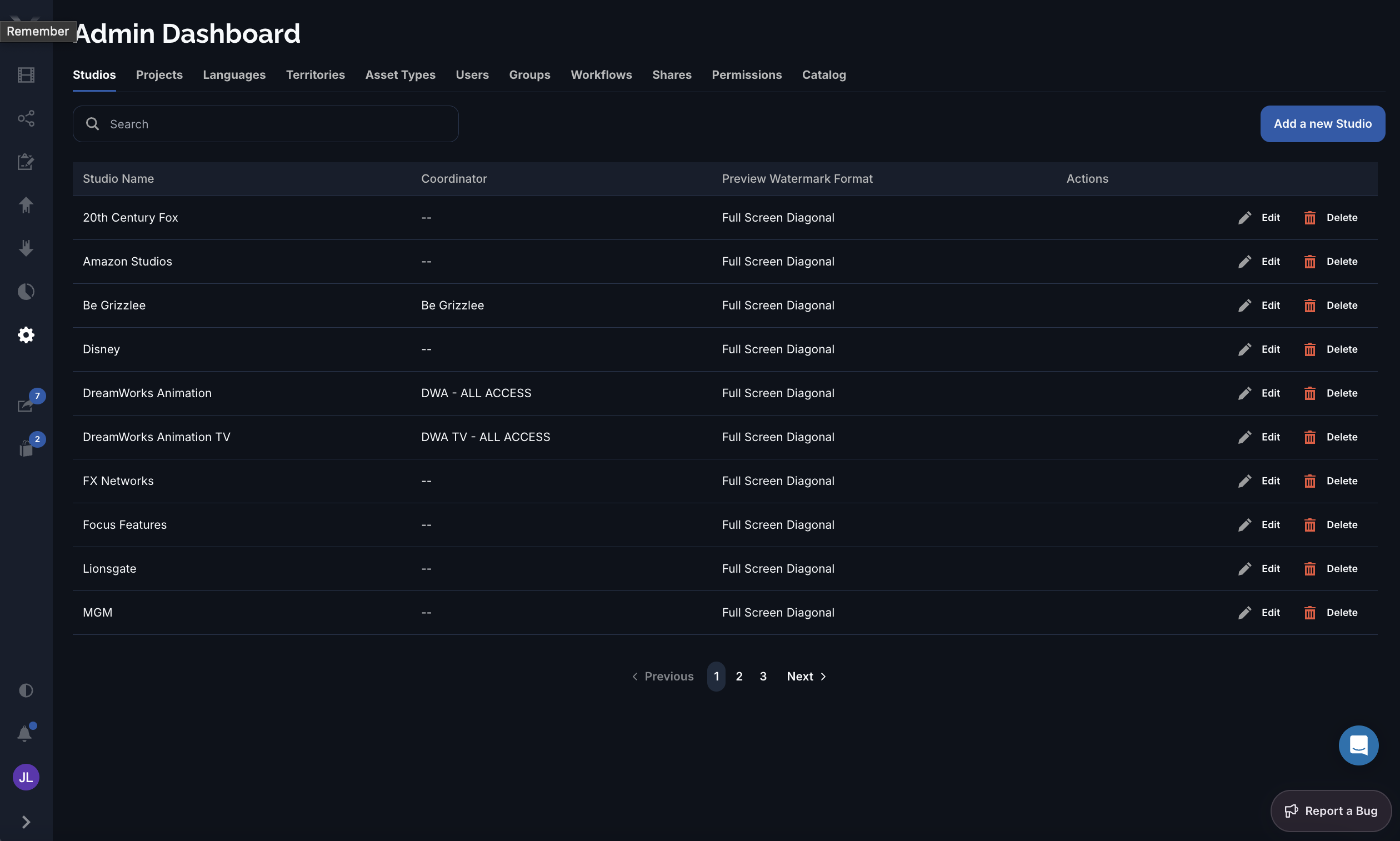
| Column | What it is |
|---|---|
| Studio Name | The studio’s display name. |
| Coordinator | The group named as the point of contact responsible for the studio’s work. |
| Preview Watermark Format | How previews of this studio’s assets are watermarked. |
The studio form has these fields:
The preview watermark format controls how Pixwel overlays a watermark on this studio’s previews:
| Format | Placement |
|---|---|
| Full Screen Diagonal | Repeating mark across the whole frame, on a diagonal. |
| Single Center | One mark in the center of the frame. |
| Single Bottom Middle | One mark along the bottom edge, centered. |
| Single Top Middle | One mark along the top edge, centered. |
Coordinator and Preview watermark format are studio-wide settings — they apply to every project and asset under the studio.