Notifications
Control which emails Pixwel sends you and how often — per event type, with the option to mute specific projects or asset types.
Control which emails Pixwel sends you and how often — per event type, with the option to mute specific projects or asset types.
The Notifications tab in Preferences controls the emails Pixwel sends you. The master Email Notifications checkbox turns email on or off for your account — when it’s off, every setting below is disabled.
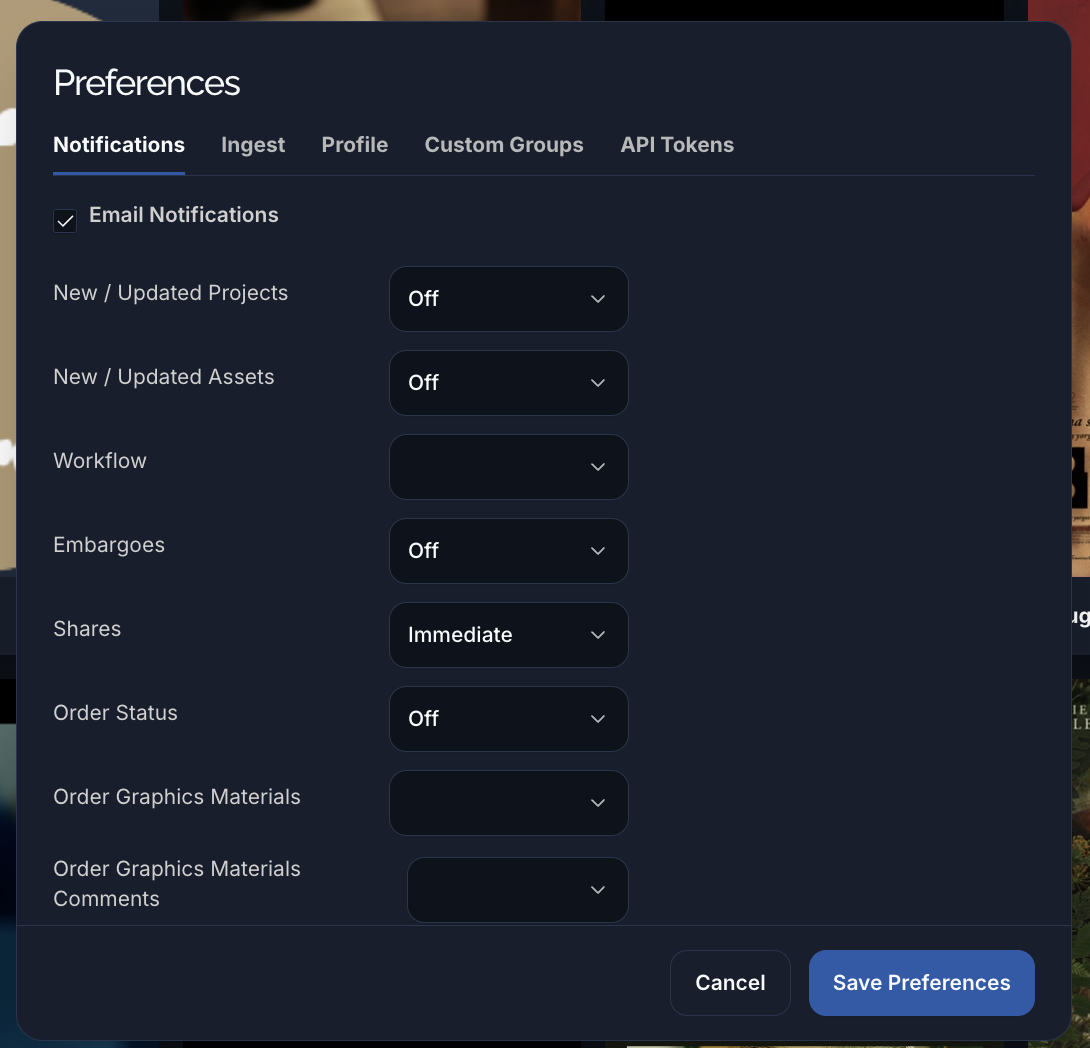
For each kind of event, choose how often you want to be emailed:
| Frequency | What it does |
|---|---|
| Immediate | Email as soon as the event happens. |
| Hourly | Batched into an hourly digest. |
| Daily | Batched into a daily digest. |
| Weekly | Batched into a weekly digest. |
| Off | No email for this event type. |
The event types you can set:
| Setting | Emails you when… |
|---|---|
| New / Updated Projects | A project you can see is created or changed. |
| New / Updated Assets | An asset is created or changed. |
| Workflow | A work request changes workflow phase. |
| Embargoes | A file’s embargo changes. |
| Shares | Something is shared with you. |
| Order Status | A work request’s status changes. |
| Order Graphics Materials | Graphics materials are added to an order. |
| Order Graphics Materials Comments | Someone comments on order graphics materials. |
| Order Discussion Comments | Someone comments in an order’s discussion. |
| Order Preview Comments | Someone comments on an offline preview. |
| Ingest | An ingest you started finishes. |
| Others | Miscellaneous notifications not covered above. |
Below the frequency settings you can mute specific projects or asset types — pick them in the “notifications disabled” multi-selects to stop emails for just those, while keeping everything else on.