Automated Localization
On-demand, machine-assisted localization — subtitled (and graphics) or audio deliverables generated in minutes, without a vendor.
On-demand, machine-assisted localization — subtitled (and graphics) or audio deliverables generated in minutes, without a vendor.
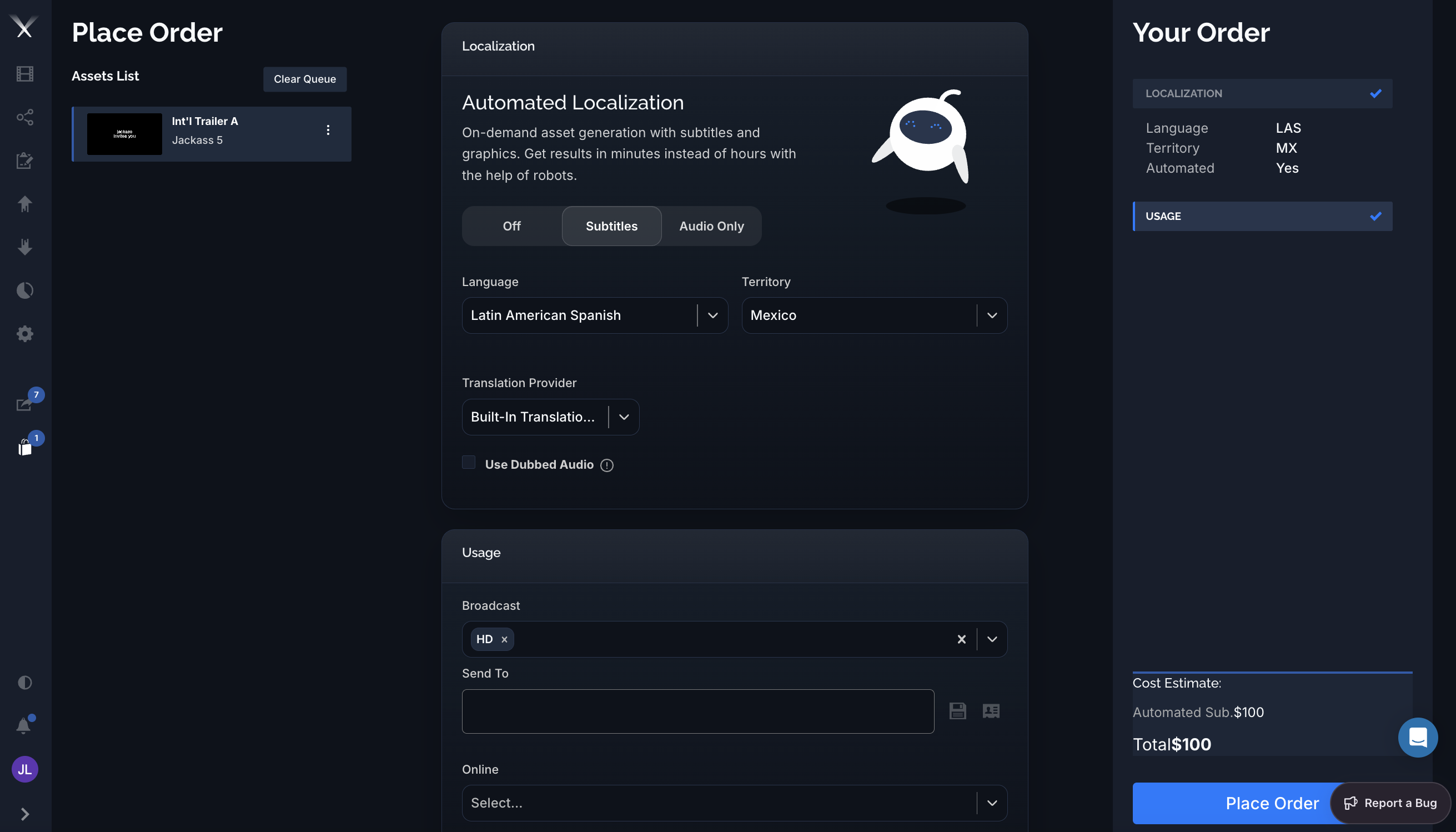
Automated Localization generates localized deliverables on demand — with subtitles and graphics, or audio — in minutes instead of hours, without routing the order to a vendor. You set it up right on the Place Order page as part of a work request.
Reach for Automated Localization when you need a localized version fast and the source has the text it needs (a transcription or script). It’s ideal for quick subtitled cuts and turnarounds where a full vendor pass would be slower than necessary. For complex creative work — full dubbing, hand-crafted graphics — a standard vendor work request is still the right call.
In the Localization panel of an order, the Automated Localization toggle offers up to five modes. Which ones appear depends on what the asset supports — see Automated graphics and Availability:
| Mode | What you get |
|---|---|
| Off | A standard order — translation and production are handled the normal way. |
| Graphics | Automated localized graphics only — the asset’s on-screen text and graphics are rebuilt in the target language, with dialogue and narration left as OV. |
| Subtitles | Automated subtitled deliverables (dialogue, narration, and graphics all subtitled). |
| Subtitles + Graphics | Both at once — burned-in subtitles plus fully localized graphics in a single automated deliverable. |
| Audio Only | An automated audio deliverable — used with Use Dubbed Audio (see below). Availability depends on your account. |
Then choose:
Use Dubbed Audio (Audio Only) lets you upload a dubbed .wav to replace the original audio. The uploaded audio must match the timing of the original version on the platform — that’s what the warning icon is flagging. This option appears only when your account has audio mixing enabled.
Automation isn’t limited to subtitles — Pixwel can rebuild an asset’s on-screen graphics (titles, lower-thirds, end cards, and other text) in the target language and burn them into the deliverable. Two modes use it: Graphics (graphics only, dialogue left as OV) and Subtitles + Graphics (graphics plus subtitles).
In DNG terms, graphics automation sets the order’s Graphics to Dedicated / Localized — a full localized graphic treatment, not just an overlay — while the subtitled modes set dialogue, narration, and graphics to Subtitled.
The Graphics and Subtitles + Graphics modes only appear when the asset is set up for graphics automation:
If those pieces are in place, you can localize the graphics in the same automated, minutes-not-hours pass as the subtitles.
Automated orders are priced per language, not per file. The Your Order summary marks the order Automated: Yes and shows the charge on a line labeled Automated Sub. in the Cost Estimate (for example $100). Unlike standard orders, automated orders don’t incur per-file encoding charges. Your actual rates come from your studio’s billing configuration.
When the order runs, Pixwel produces the localized deliverables automatically and delivers them straight to the asset — typically a Broadcast (ProRes) and/or Online (H.264) version for the usages you selected. Automated output is labeled AUTOSUB in the file name so you can tell it apart from vendor-produced deliverables. Because there’s no vendor queue, results are usually ready in minutes, and a due date isn’t required.
Automated subtitles build on the same translation foundation as the subtitler: exact-match lines are reused from translation memory, and machine translation fills the rest — so repeat cuts of the same asset get faster and more consistent over time.
Automated Localization appears only when:
If you don’t see the option on an asset you expect to, check with your administrator about autosubs access.